Tuesday, September 16, 2008 

A little early

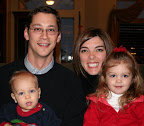
Amy let Drake play with his Halloween costume a little early this year. In fact he had it on proabably 3 separate times that day. He would watch the Buzz Lightyear cartoon video we have 'to infinity and beyond' if he could.


Friday, September 05, 2008 

First Day of School

Wednesday, September 03, 2008 

Too Much Google?

Google this week released many new things including their debut into the browser market with their Chrome browser. I really like it and what it will do to push the browser market forward but it has some things to overcome before I leave my beloved Firefox. It's open source so I'm sure it will soon work out.

Next up is the long overdue but appreciated update to Picasa. Version 3 adds a lot of new features making editing and touching up photos simple as well as keeping them synced with your online web albums. Check out the what's new video here for details as well as overview of improved features such as touch up, movies and more. If you use Picasa, you'll definitely want to download.

Lastly they have updated a few things in Picasa's online companion, Picasa Web Albums. Of note is the interesting facial recognition software that scans all your photos and allows you to "tag" each face with a name. It has it's quirks but it is pretty good at telling who is who in many of my pics. From the look of the buttons it looks to be better integrated in the desktop software soon.

Though all this integration will have some asking legitimate questions about privacy, esp when coupled with their desktop search, email, photos, facial recognition, browsing habits, etc. To a point I like it as it makes many mundane things very easy and a lot of information that much more accessible or useful. They are about selling ads to you though. And as an ad company with that kind of integration, any gross privacy abuses would be their 3rd rail so to speak.

Monday, September 01, 2008 

What is that?

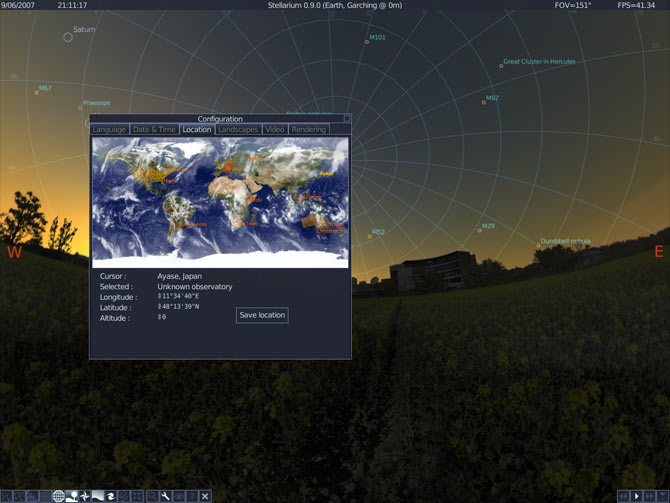
I came across this great (free) program a few days ago and wanted to share. Very user friendly and fun, especially if you like to look at the night sky or try to explain to your kids what they are seeing of God's creation. Stellarium is a small download and installs easily. You'll get a lot of "wow"s, and "cool"s when showing it.

Very simple, but also very powerful. Just click on or off the buttons on the lower left of the screen. Click on the wrench icon to set your location. Click and drag to rotate or zoom in with the mouse wheel all the way to the planets, moons, or nebulas and look at the dome of the night sky as you would actually see it out your back door. Fast forward the day into night with the VCR buttons. Download Stellarium here.

Another program deserving honorable mention is Microsoft's (free) WorldWide Telescope. It serves more of the purpose of information about object in space rather than looking up at the night's sky, but it does have some good tours.

Speaking of stars, my sister is working this summer in Juneau, AK and just happens to live right across the street from the governor's mansion and the recently named VP pick Sarah Palin.